

Everything in one place
Ten real screens from a live restaurant — scroll to walk through the whole platform, from the first order to the last GST report.
Your business at a glance
See how the restaurant is performing the moment you log in, and control when customers can order.
- Today, weekly, monthly and all-time sales
- Average order value and order counts
- Seven-day sales trend and top-selling items
- Set opening and closing hours for QR ordering; the menu closes automatically outside them
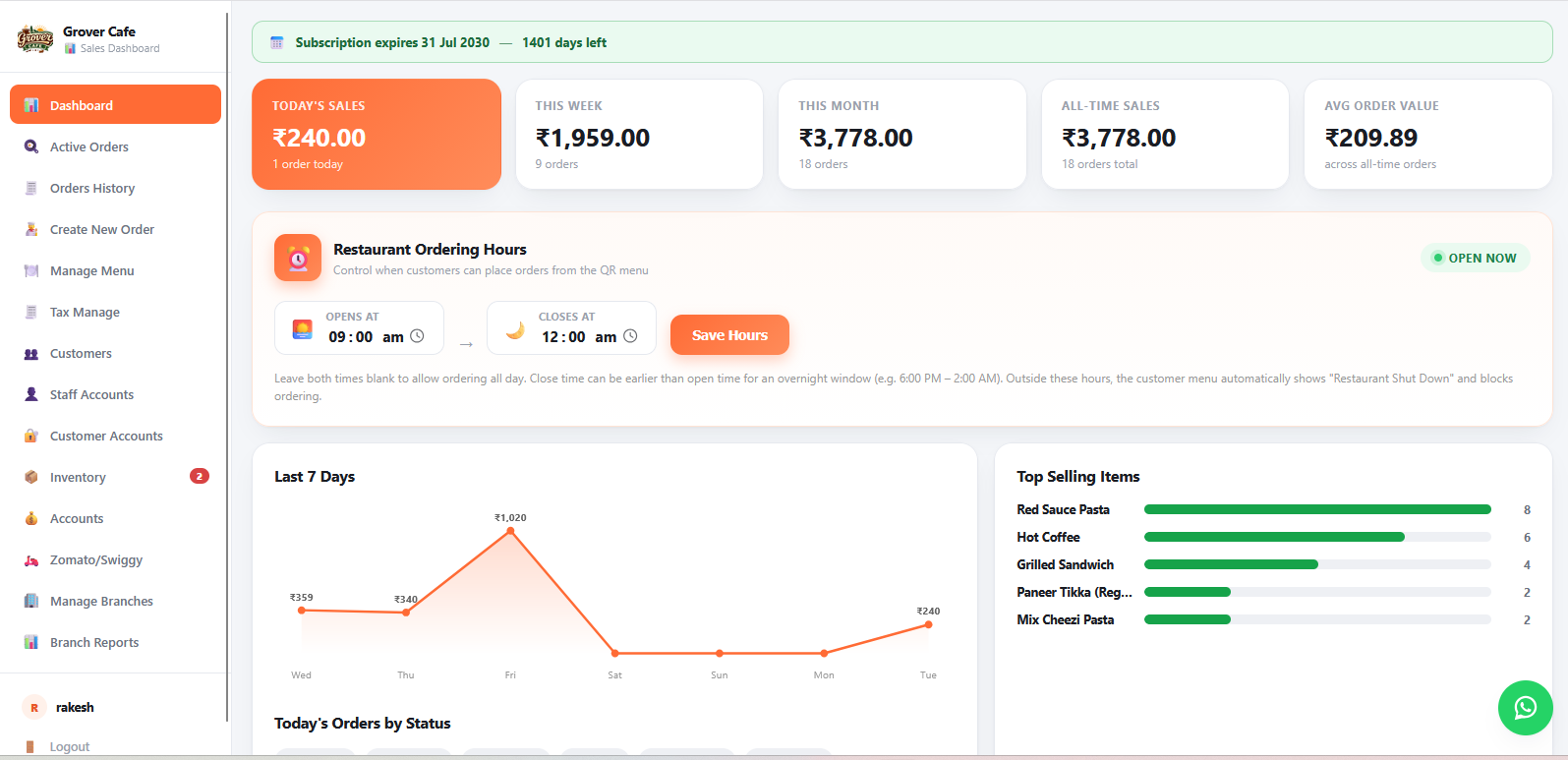
Table or pickup, in seconds
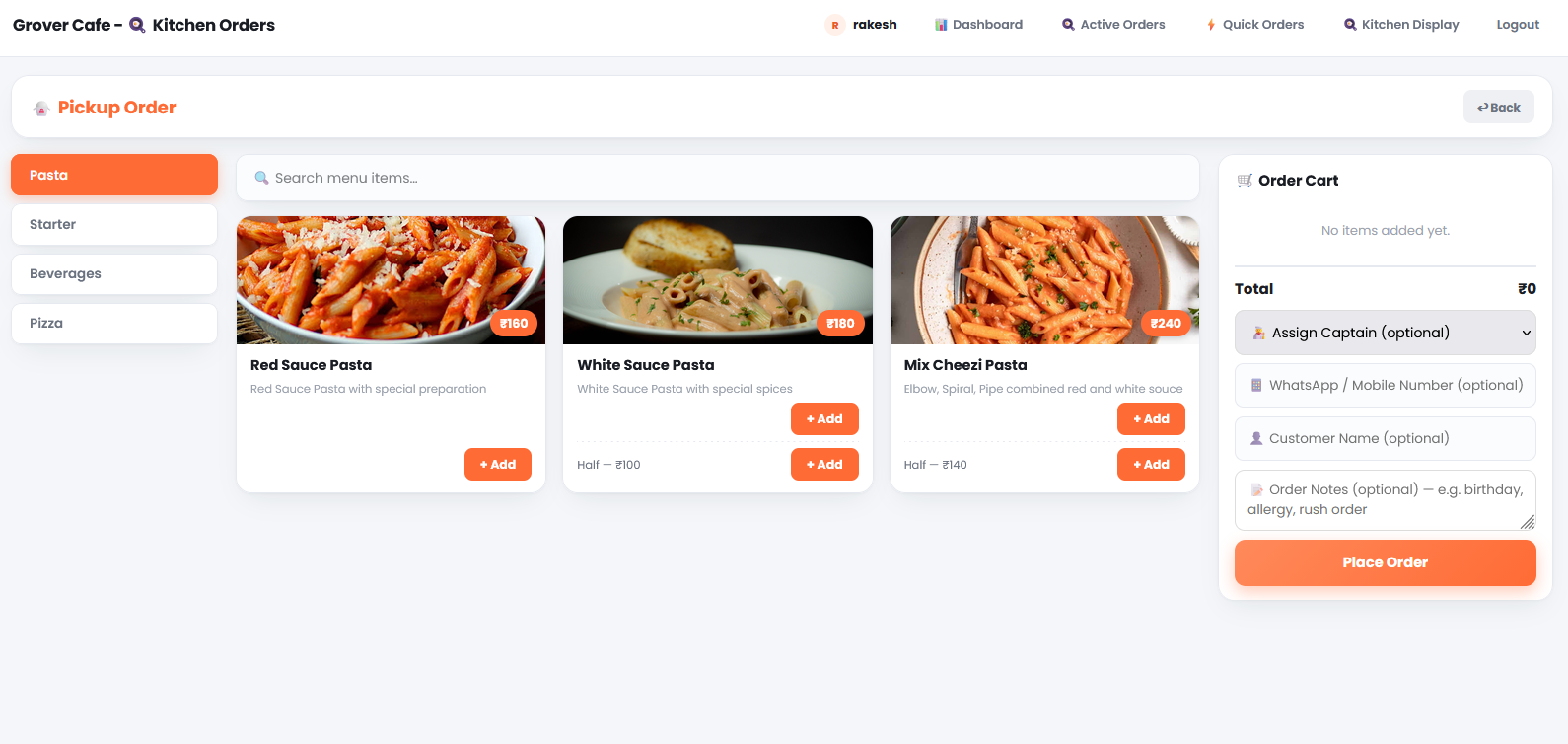
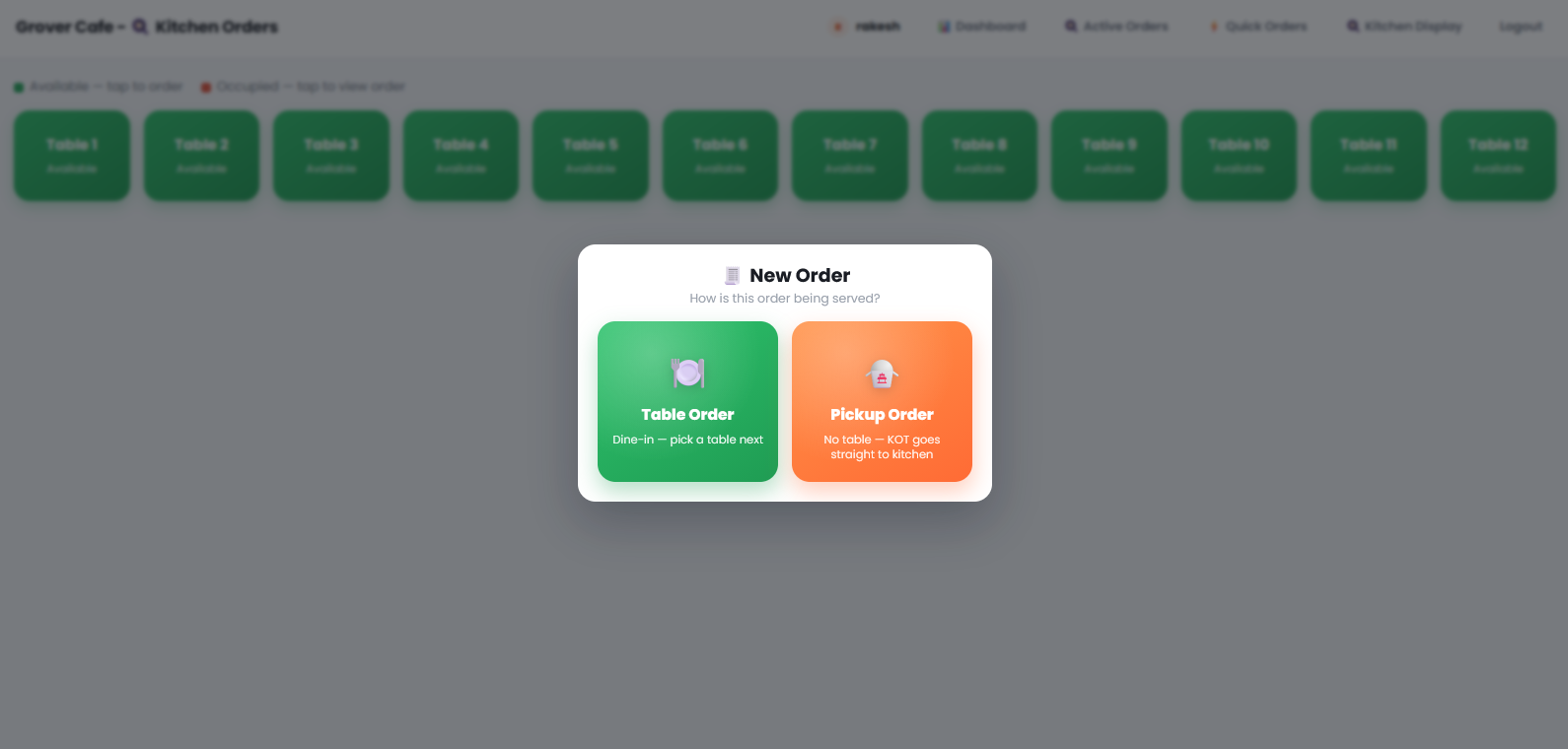
Staff choose how the order is served, then build it from a visual menu.
- Table orders with live free / occupied status
- Pickup orders go straight to the kitchen
- Menu photos, categories, search and half portions
- Optional captain, customer name, WhatsApp number and order notes
Every order, fully tracked
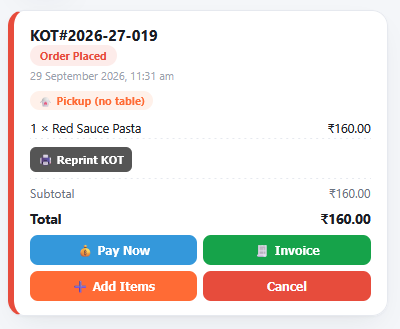
Each order becomes a kitchen order ticket (KOT) with a clear status and one-tap actions.
- Status, time, order type and items at a glance
- Reprint the kitchen ticket any time
- Add items, cancel, pay or print the invoice from the same card
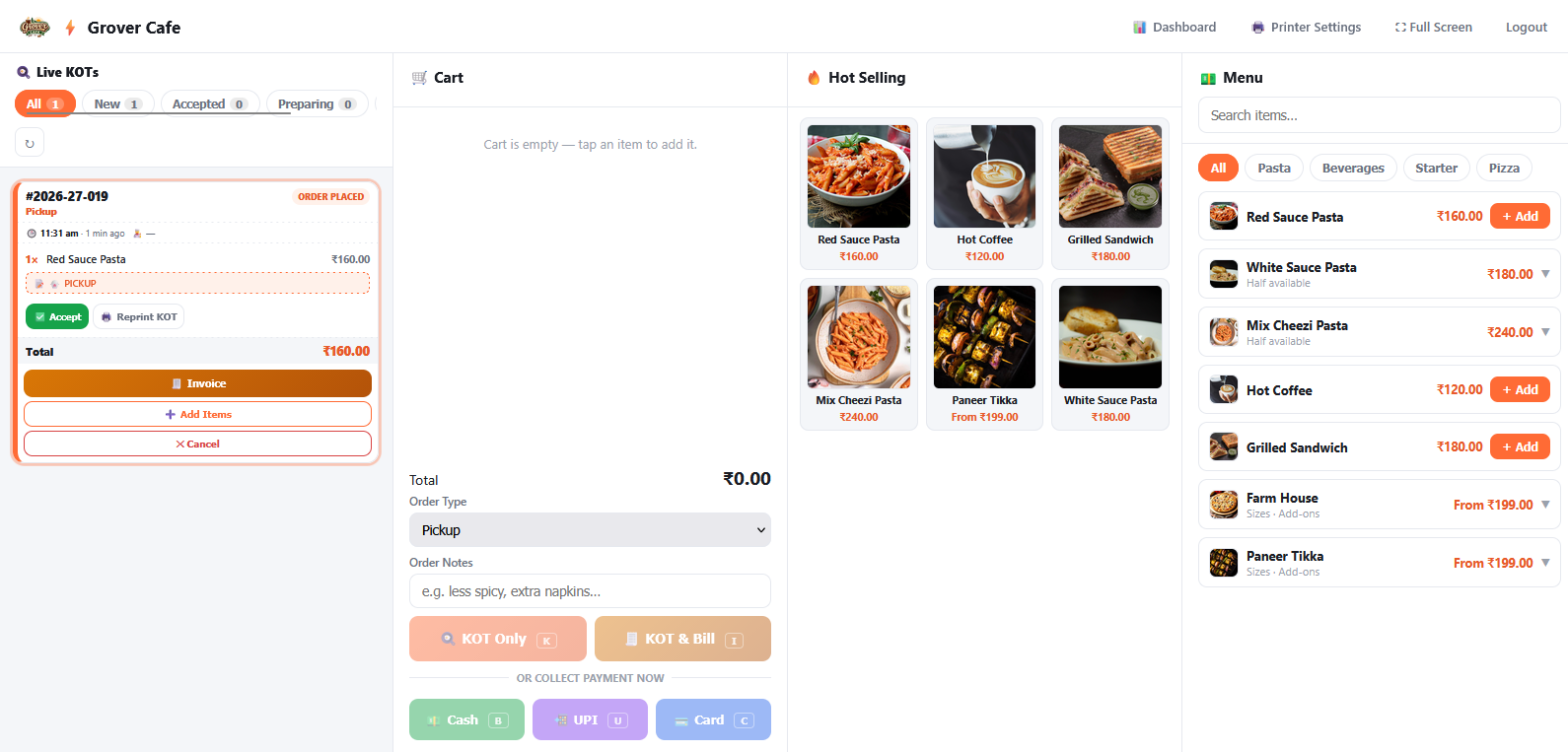
A complete billing counter
A single screen for counter and walk-in service, with live kitchen tickets beside the cart.
- Live KOT list filtered by New, Accepted and Preparing
- Hot-selling items as one-tap tiles
- KOT only, or KOT and bill in one step
- Collect payment by Cash, UPI or Card with keyboard shortcuts
- Printer settings and full-screen mode
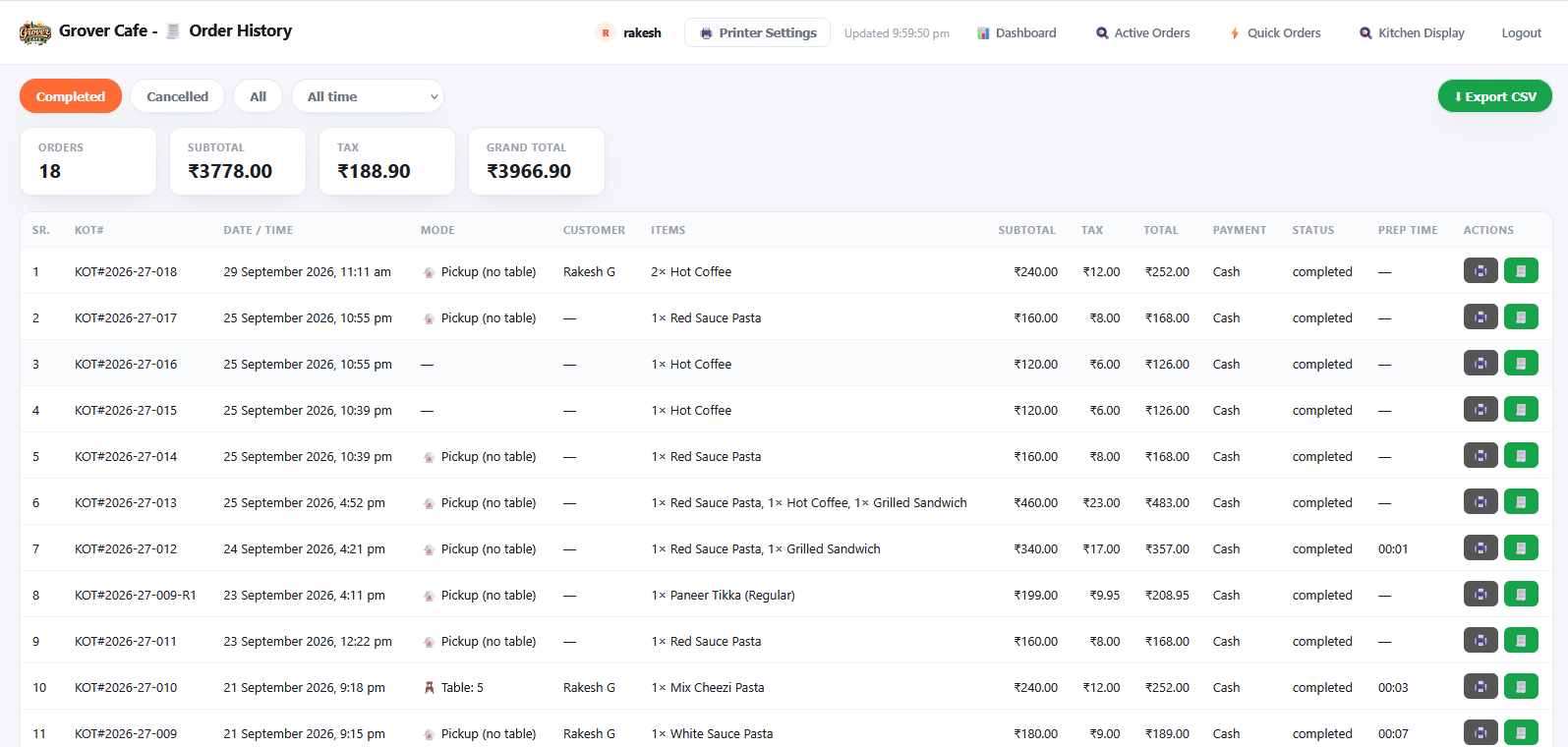
Every order, on record
A searchable record of all orders with totals, ready to share with your accountant.
- Filter by completed, cancelled or any time period
- Order count, subtotal, tax and grand total summary
- Order type, customer, items, payment mode and prep time
- Reprint tickets or invoices, and export everything to CSV
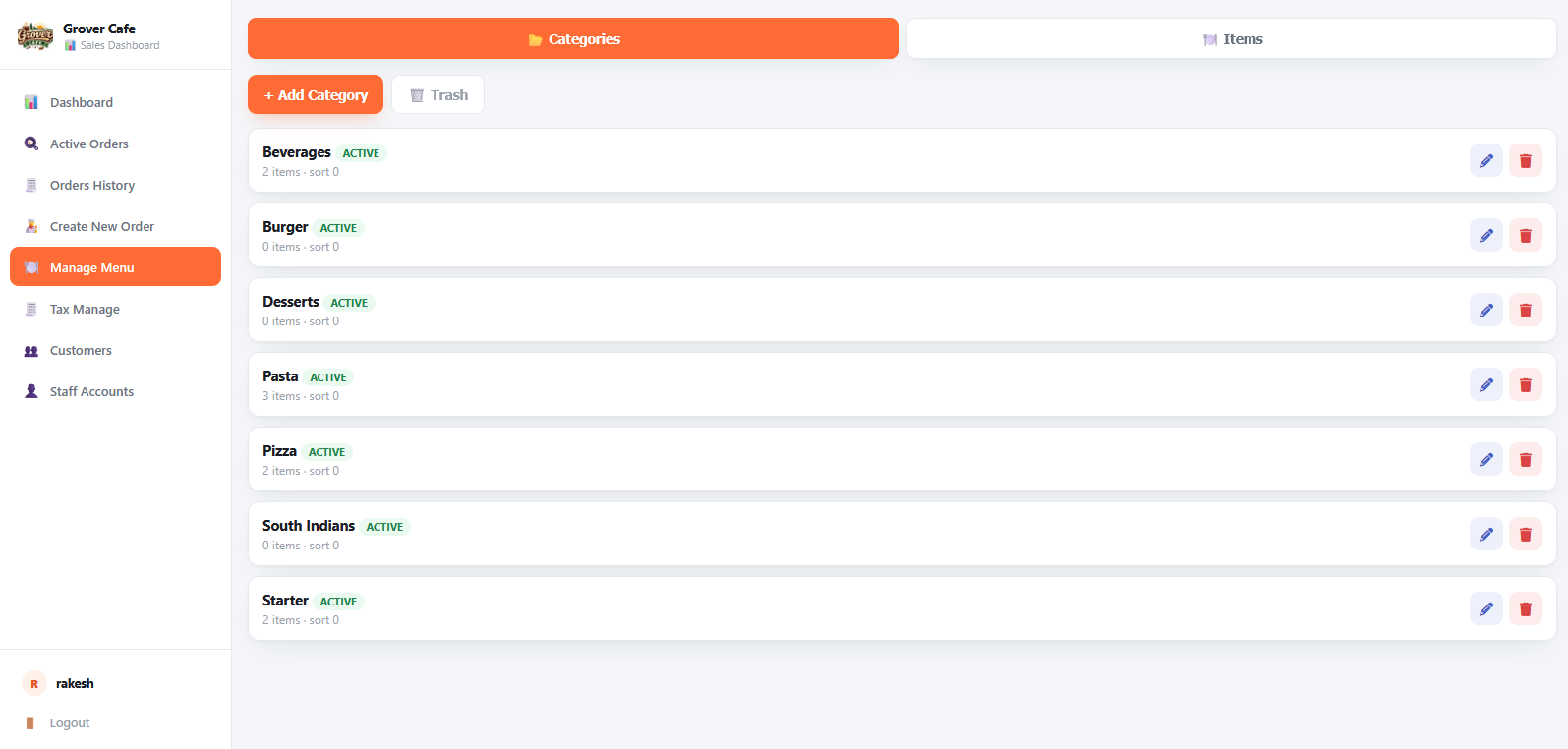
Your menu, always up to date
Change the menu once and the QR menu, ordering screens and billing all update together.
- Organise items into categories with active status
- Add, edit or remove categories in a click
- Trash keeps deleted categories recoverable
- Separate Items tab for pricing, sizes and photos
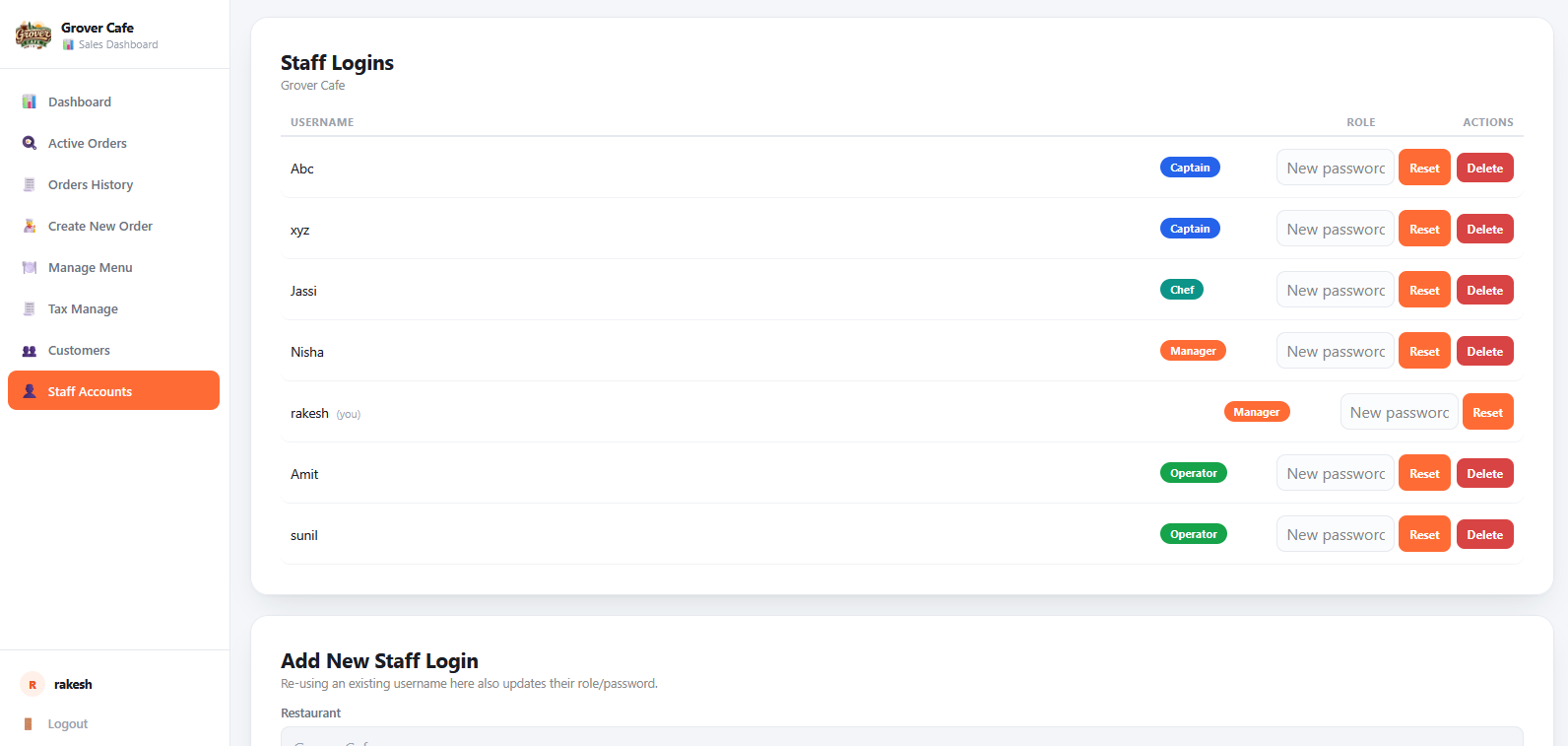
The right access for every person
Create individual logins for the team so each person sees only what they need.
- Manager, Captain, Chef and Operator roles
- Add staff logins in seconds
- Reset a password or remove access instantly
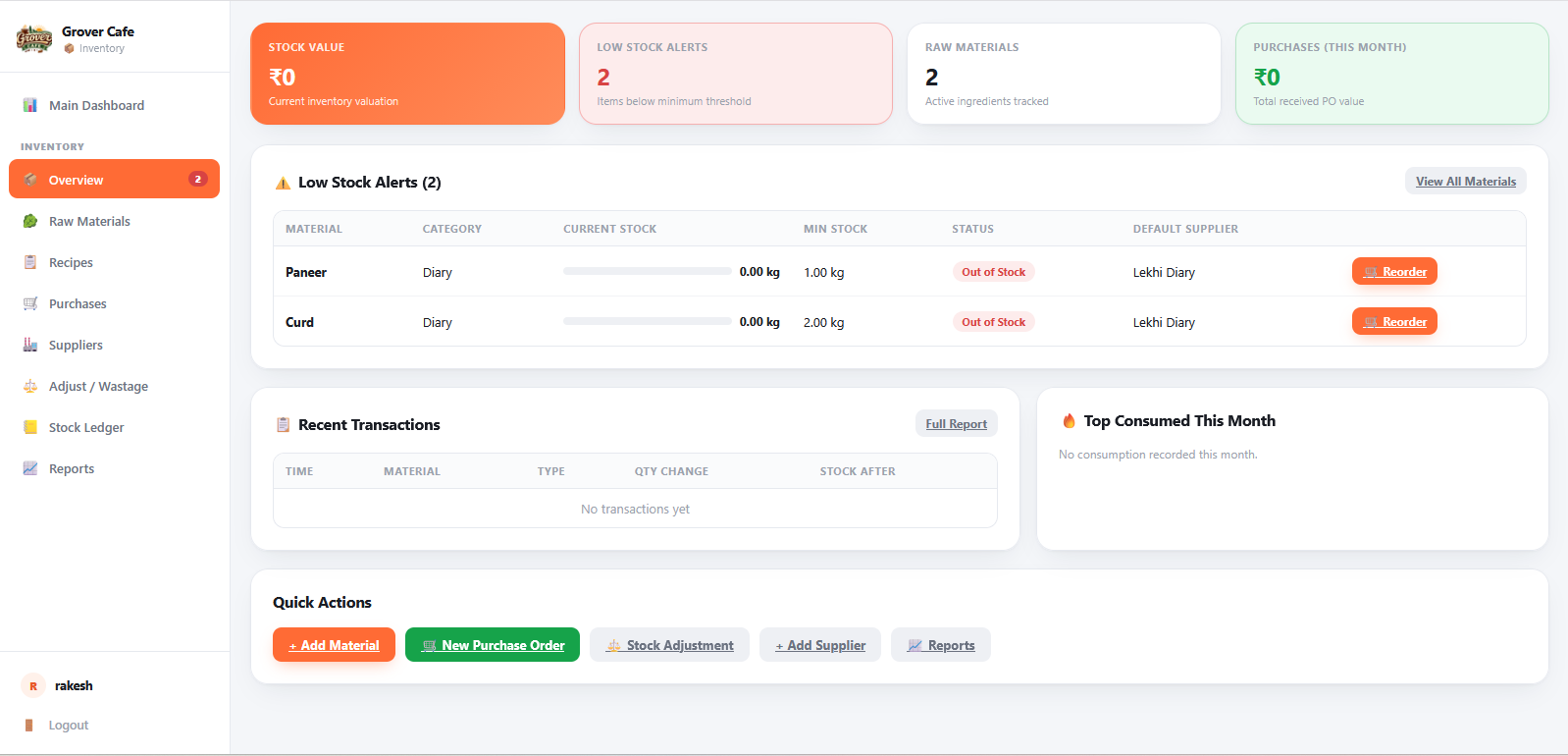
Know what is in your kitchen
Track ingredients from purchase to plate and get warned before anything runs out.
- Stock value and low-stock alerts
- Raw materials, recipes, suppliers and purchase orders
- Stock adjustments and wastage, with a full stock ledger
- One-click reorder from the supplier
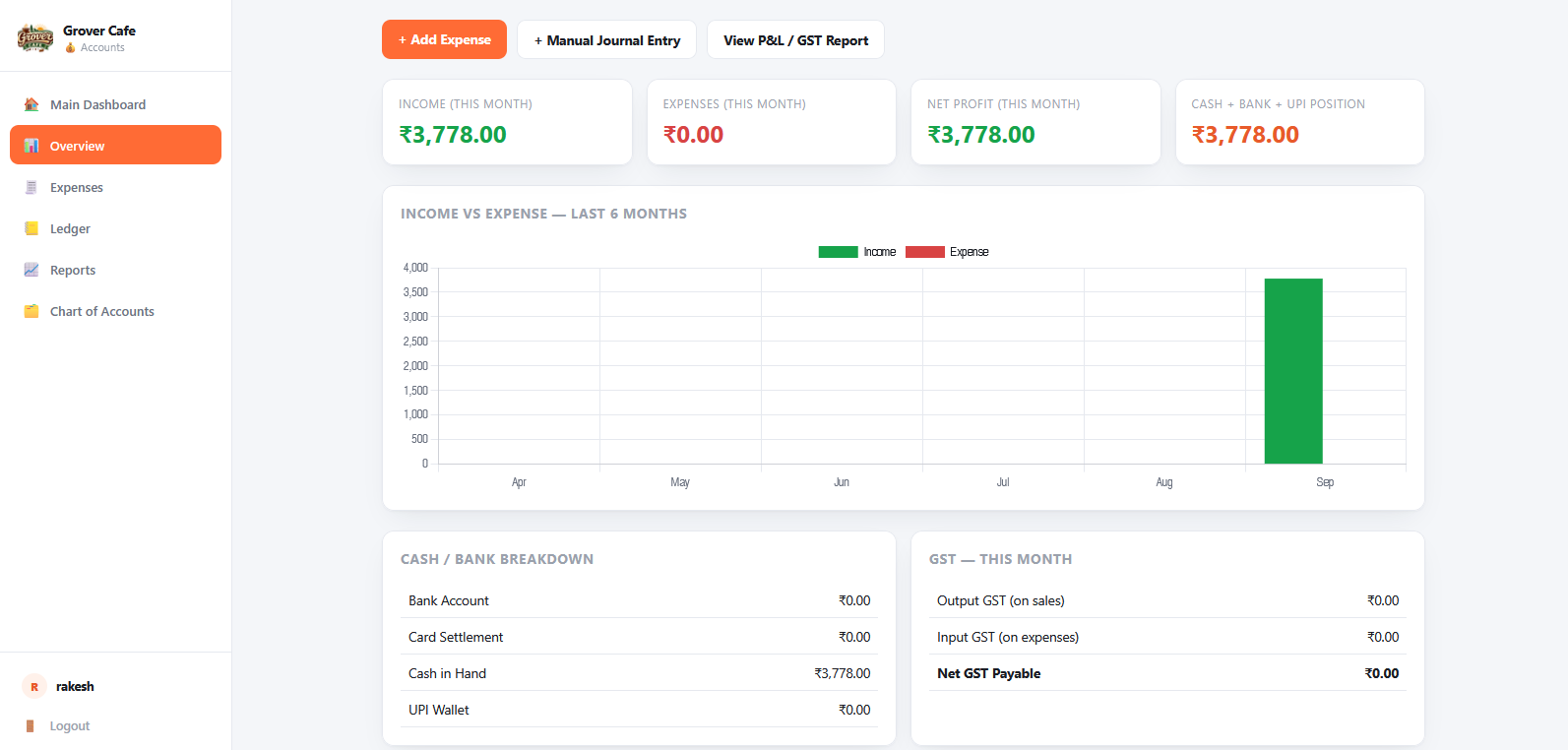
Books that keep themselves
Sales flow straight into your accounts, so profit and tax are always visible.
- Income, expenses, net profit and cash position
- Six-month income versus expense chart
- Cash, bank, card and UPI breakdown
- GST for the month, plus ledger, journal entries and P&L reports
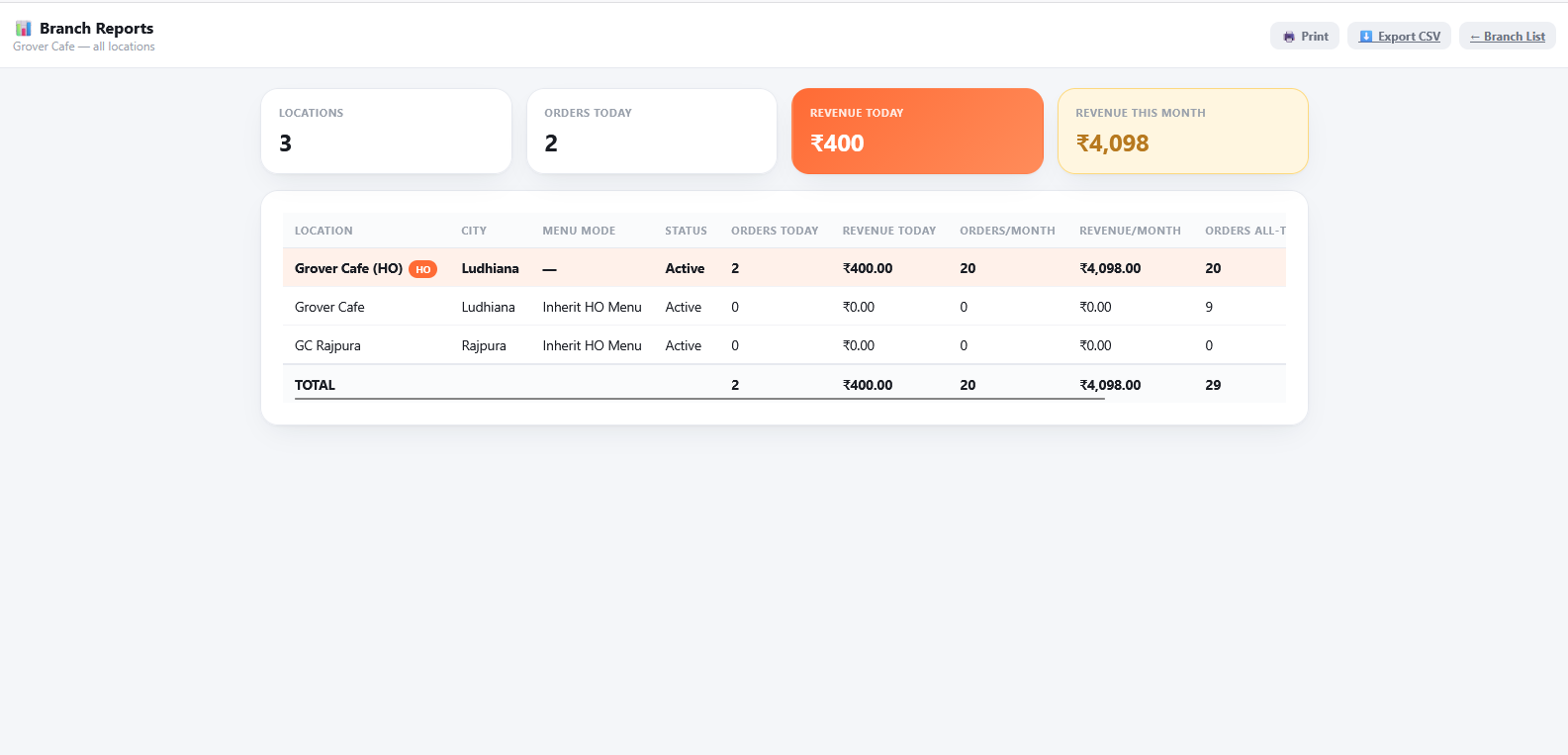
Every outlet in one view
Run multiple locations from a head office and compare them side by side.
- Orders and revenue per branch, today and this month
- Branches can inherit the head-office menu
- Print the report or export it to CSV
Simple to adopt. Reliable to run.
Web & cloud based
Runs in any browser with secure login. Nothing to install, access it from anywhere.
WhatsApp notifications
Automatic WhatsApp updates keep customers and staff informed.
Kitchen printing
Print and reprint kitchen tickets and invoices from the order screens.
Works offline
Orders are queued safely if the internet drops and sync when it returns.
Multi-branch ready
One head-office menu, many outlets, one combined report.
Mobile-first
Designed for the phones and tablets your staff already use.
Ready to take your restaurant digital?
Menu, orders, kitchen, inventory, accounts and branches, all in WebKotx.